- Sign in to your directorate’s Zoom account 20–30 minutes before the scheduled start time.
- Go to Meetings or Webinars.
- Click the blue Start button.
 Enlarge screenshot
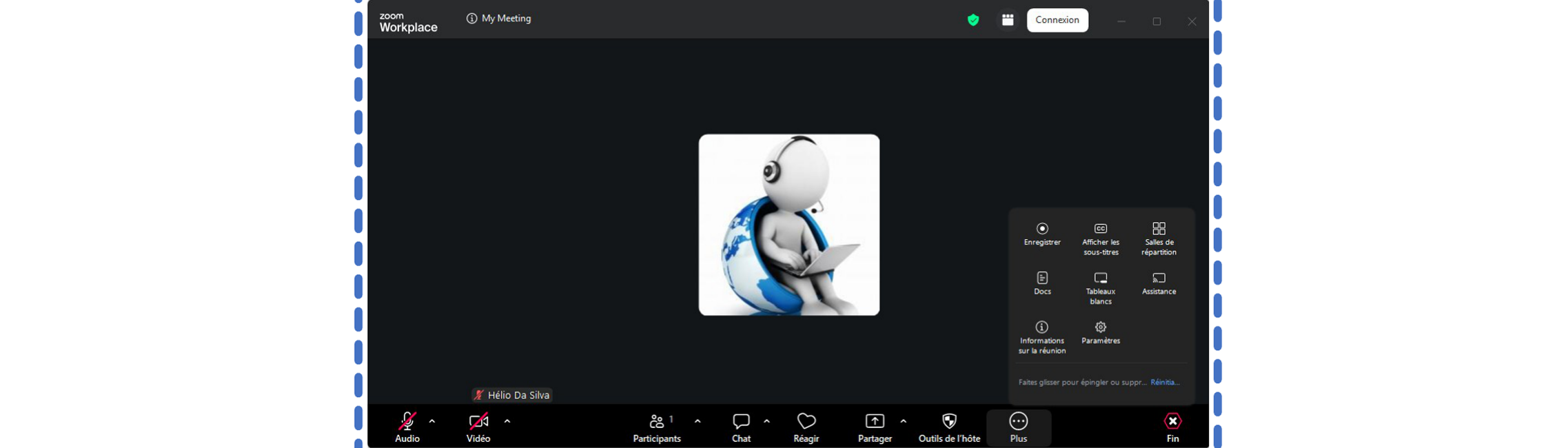
- Microphone / Camera (Mute / Stop Video): Control your own audio and video.
- Participants: Admit people from the Waiting Room, mute individual participants who are causing background noise, or select Mute All.
- Chat: Send messages or documents to everyone or to a specific person.
- Share Screen: Share your PowerPoint presentation.
- Record: Click this button, then select Record on this Computer.
- Interpretation:Click the globe icon, then click Start to activate the language channels.
 Enlarge screenshot
- Stop recording: Do this before leaving to ensure that the recording file is generated correctly.
- End: Click End Meeting for All.
 Enlarge screenshot