- Enable the feature: In the Options section, select Language Interpretation.
- Add interpreters: Enter each interpreter’s email address and select their language pair (e.g. English ↔ French).
 Enlarge screenshot
Interpretation does not start automatically. As the host:
- Click More, then select Interpretation (the globe icon) in the toolbar.
- Add or edit the interpreters and select their language pair (e.g. English ↔ French).
- Click Start.
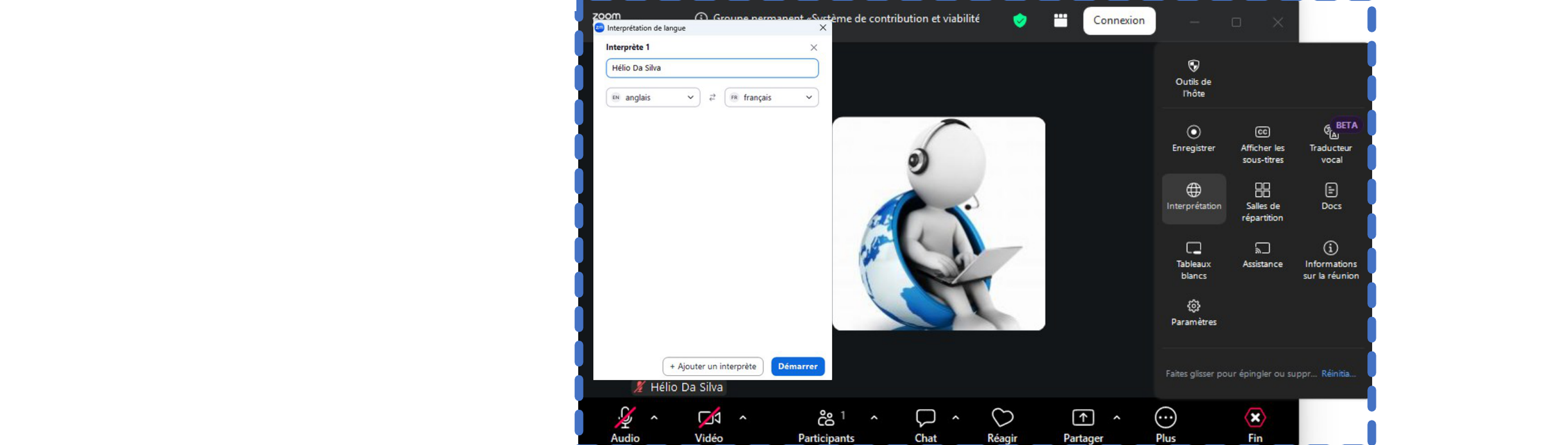 Enlarge screenshot
We recommend briefly explaining to participants how to listen to interpretation:
- Click the Interpretation icon.
- Select your preferred listening language (e.g. French).